


Description
Belkin F1DC108V | 8-Port Rackmount KVM Console
Dynamic Product Introduction
A failed rack console rarely shuts down the PLC itself, but it can make troubleshooting painfully slow when the only practical route to a server is through a local VGA and keyboard connection. That is where the Belkin F1DC108V earns its rack space: it combines an 18.5-inch LCD, keyboard, touchpad, and an integrated 8-port KVM into a single 1U assembly.
The F1DC108V supports 1366 × 768 at 65 Hz, uses VGA for video, and provides USB/PS/2 keyboard and mouse connectivity. Its KVM side provides eight server connections through 50-pin interfaces, while DB-25 supports KVM daisy-chaining. Belkin specifies support for up to 16 OmniView KVM switches, allowing as many as 256 servers through the daisy-chain architecture.
For replacement work, the important distinction is that this is not simply an LCD drawer. The F1DC108V is an integrated rack console and KVM platform, so compatibility has to be checked at the KVM, cable, video, keyboard, and rack-installation levels.
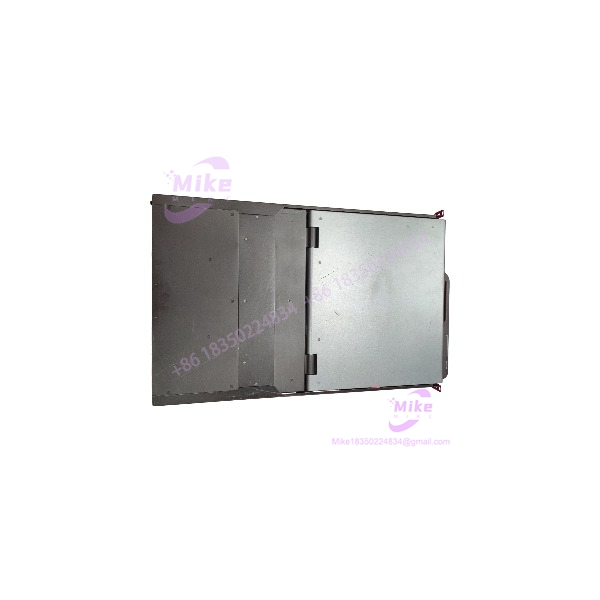
F1DC108V
Key Technical Specifications
- Model: F1DC108V
- Product Type: 18.5-inch 1U rackmount KVM console
- Integrated KVM: 8-port
- Display: 18.5-inch widescreen TFT/LCD
- Native Resolution: 1366 × 768 at 65 Hz
- Contrast Ratio: 1000:1
- Response Time: 5 ms
- Color Support: 16.7 million colors
- Video Interface: VGA / HDDB15 female
- Keyboard/Mouse: USB and PS/2
- KVM CPU Ports: 50-pin SCSI-style connectors
- Daisy-Chain Interface: DB-25 female
- Flash Upgrade Port: RJ11
- Daisy-Chain Capacity: Up to 16 OmniView KVM switches
- Rack Height: 1U
- Dimensions: 19 × 27.5 × 1.7 inches
- Operating Temperature: 32–104°F (0–40°C)
- Humidity: 0–80% RH, non-condensing
- Power: Auto-switching 100–240 VAC, 50–60 Hz
- Weight: Approximately 25 lb
- Minimum Rack-Mount Depth: 29 inches
- Maximum Rack-Mount Depth: 40 inches
Global Sourcing & Live-Test SOP
For surplus Belkin F1DC108V inventory, visual inspection alone is not an acceptable QC procedure. An LCD that lights up can still have failed KVM switching, intermittent USB/PS/2 emulation, defective ports, or unstable flash-management hardware.
Inbound Verification
- Record the exact model marking and serial information.
- Compare chassis labeling, connector arrangement, and physical construction against Belkin documentation.
- Inspect rack rails, locking mechanisms, LCD bezel, keyboard/touchpad assembly, and KVM connectors for impact damage.
- Check supplied accessories against the intended sales configuration rather than assuming every used unit includes the same cable set.
- Trace available OEM documentation and procurement records where applicable.
Live Simulation
A practical test rack should reproduce the intended operating environment rather than merely applying AC power. Connect the to representative server equipment and verify VGA synchronization, keyboard input, touchpad response, individual KVM channel selection, and channel switching.
The eight KVM ports should be tested individually. A single functioning channel does not establish that the entire switching matrix is healthy.
Diagnostics
- Verify video output at the specified 1366 × 768 mode.
- Test every KVM channel for selection and keyboard/mouse control.
- Check USB and PS/2 behavior where applicable.
- Verify the daisy-chain interface when the application requires multiple KVM units.
- Exercise the unit through repeated power cycles.
- Run an extended heat test before final packing.
- Use a calibrated multimeter to check abnormal power behavior rather than relying only on the front-panel display.
Final Preparation
Record the firmware or flash-management information available from the unit before shipment. Clean the LCD and chassis without damaging the panel surface, secure moving rack components, and package the console against mechanical shock.
For replacement inventory, ESD-safe handling and serial-number traceability should remain part of the packing SOP.
The Field Engineer’s Pitfall Guide
❗ Do not assume every 1U Belkin KVM console is electrically interchangeable. The older F1DC108H was replaced by the , according to Belkin’s support documentation. A physical rack fit does not automatically establish KVM, cable, or firmware compatibility.
❗ Check the KVM cable architecture before installation. The uses 50-pin SCSI-style CPU connections, while other Belkin KVM generations can use different cable and connector arrangements. I’ve seen replacement projects stall because the console arrived physically correct but the existing server-side cable kit belonged to another generation.
❗ Do not ignore rack depth. The published installation range is approximately 29–40 inches, with the console measuring 27.5 inches deep. A cabinet can have a nominal 19-inch width and still fail the installation because the rear clearance is insufficient.
Intent-Driven FAQ
Will the Belkin work with eight servers?
Yes, the is specifically configured as an 8-port KVM console. Each server connection should still be verified against the required Belkin cable configuration before deployment.
Can I use the as only an LCD monitor?
Not in the same sense as a conventional standalone rack monitor. Its architecture combines the LCD console with an integrated KVM system, although the unit provides a VGA monitor connection for video access.
Does the support PS/2 equipment?
Yes. Belkin specifies USB and PS/2 keyboard/mouse interfaces for the . This is particularly relevant when maintaining older servers whose local-management interfaces were never converted to USB.
Can I connect more than eight servers?
Yes, through the supported daisy-chain architecture. Belkin documents a maximum of 16 OmniView KVM switches, with up to 256 servers available through the daisy-chain configuration. Actual deployment depends on the compatible KVM architecture and cabling.
Is the hot-swappable?
Do not treat it like a hot-swappable PLC I/O module. The is an AC-powered rack console/KVM appliance. Before replacing it in a live rack, follow the site’s electrical and server-management procedure and verify whether connected servers can tolerate loss of the KVM connection.
Can the firmware be downgraded?
Firmware/flash management should be handled using the documentation applicable to the exact revision. Belkin identifies an RJ11 flash-upgrade port, but a firmware operation should never be performed simply because another revision appears to work on a similar KVM model.
What should I verify when buying a surplus ?
At minimum, verify the exact model, physical condition, LCD operation, all eight KVM channels, VGA synchronization, keyboard/touchpad response, power behavior, rack hardware, and included cable accessories. If a seller claims the unit is factory sealed or fully tested, ask for the actual condition and test scope rather than relying on the label alone.
Procurement verdict: The remains a practical replacement candidate when an existing rack installation specifically requires an 18.5-inch 1U console with an integrated 8-port KVM. The critical purchasing issue is not simply whether the screen powers on; it is whether the KVM architecture, cable set, rack depth, and server interfaces match the installation.





