

Description
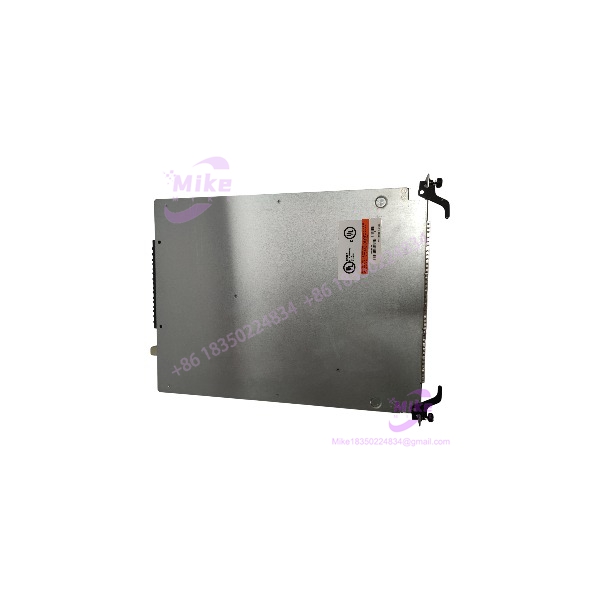
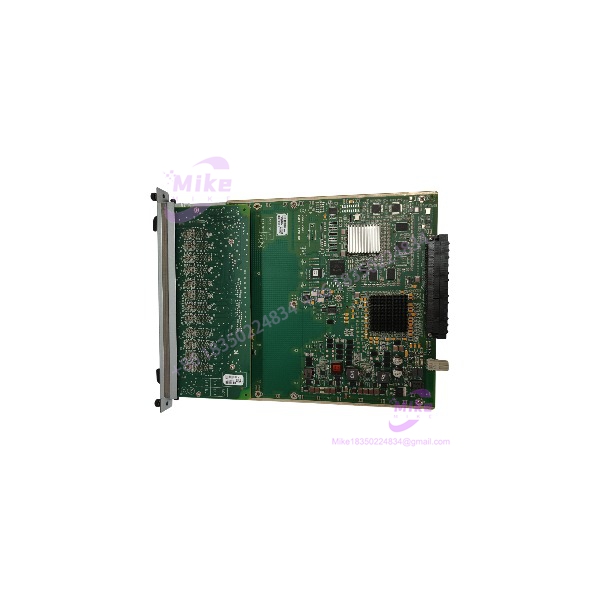
Alcatel-Lucent OS9-GNI-U24 24-Port Gigabit Ethernet Fiber Network Module
Product Introduction
When a legacy chassis switch loses a fiber interface card, replacing the module with a generic switch or a copper line card can require changes to the existing cabling and network design. The OS9-GNI-U24 provides a like-for-like option for compatible OmniSwitch 9000 systems where the original architecture depends on multiple Gigabit fiber links.
Its 24 SFP slots allow transceivers to be selected according to the optical link requirements. Depending on the installed transceiver, supported connections can include 1000BASE-SX for multimode fiber and 1000BASE-LX for single-mode fiber. The module uses LC optical interfaces through the installed transceivers, so the required SFP type and fiber plant must be confirmed before deployment.
For procurement teams, the main checks are chassis compatibility, module condition, transceiver inclusion, and the type and reach of the optical links. A line card supplied without SFPs does not provide a complete optical connection by itself.
OS9-GNI-U24
Key Technical Specifications
- Manufacturer: Alcatel-Lucent
- Model: OS9-GNI-U24
- Product family: OmniSwitch 9000 / 9000E
- Product type: Gigabit Ethernet Network Interface (NI) module
- Fiber ports: 24 SFP / MiniGBIC transceiver slots
- Port speed: 1 Gbps, full duplex
- Supported standards: IEEE 802.3z, 1000BASE-X
- Optical interfaces: LC connectors through compatible SFP transceivers
- Fiber types: Single-mode and multimode, depending on the transceiver
- Maximum frame size: 9,216 bytes
- MAC address support: Documentation varies by software generation; confirm the applicable chassis software and forwarding mode
- Hot-swap capability: Supported in compatible OmniSwitch 9000 chassis
- Listed power consumption: Approximately 55 W
- Approximate module dimensions: 9.875 in. wide × 1.25 in. high × 13.024 in. deep.
Compatibility note: The OS9-GNI-U24 is designed for supported OmniSwitch 9000-series chassis. Confirm the exact chassis model and software environment before installation. Optical reach, wavelength, and power budget depend on the selected SFP; they are not fixed properties of the bare line card.
Application Scenarios & Pain Points
Enterprise fiber aggregation
The module provides a high port count for connecting downstream switches or network segments over Gigabit fiber. Verify that each installed transceiver matches the required fiber type, wavelength, and link distance.
Legacy network restoration
For an existing OmniSwitch 9000 installation, a matching OS9-GNI-U24 can help restore failed fiber connectivity without redesigning the chassis-based network. Confirm the hardware revision and the management software’s ability to recognize the replacement.
Building-to-building fiber links
Compatible SFP transceivers can support fiber connections between network closets or buildings. The required optical reach must be calculated from the actual transceiver specifications and fiber plant, not from the line-card model alone.
Campus and backbone switching
The 24-port Gigabit fiber design suits deployments that aggregate multiple optical uplinks into a modular switching platform. Confirm that the chassis has sufficient capacity and that the installed network design supports the required traffic and redundancy.
Practical limitation: The OS9-GNI-U24 provides SFP slots, but transceivers may be sold separately. Confirm whether the listing includes any SFPs, and test each optical link with the correct transceiver and fiber patch cable.
QA & Live Testing SOP
Use this procedure for incoming inspection and commissioning. It is a recommended workflow, not a claim that any specific unit has already been tested.
1. Verify the module identity. Check the label for OS9-GNI-U24 and record the serial number and hardware revision.
2. Inspect the module. Check the front panel, ejector handles, PCB where accessible, and chassis-edge connector for physical damage, corrosion, or overheating.
3. Confirm chassis compatibility. Verify the target OmniSwitch 9000/9000E chassis and software version before inserting the card.
4. Inspect SFP slots. Check all 24 ports for damaged cages, bent contacts, debris, or loose components.
5. Verify transceivers. Confirm the SFP model, wavelength, fiber type, connector, and supported reach for each required link. Do not assume that all third-party transceivers will be accepted by the installed software.
6. Install using approved procedures. Follow the chassis manual and site ESD precautions. Although the platform supports hot-swappable network modules, check traffic impact and redundancy before removing a live card.
7. Check module initialization. Confirm that the chassis recognizes the module and reports a normal status. Review diagnostic output and status LEDs for faults.
8. Test optical links. Connect known-good transceivers and fiber patch leads. Verify link establishment, traffic transmission, receive performance, and error counters.
9. Validate network operation. Confirm VLANs, link configuration, routing or switching behavior, and expected traffic flow using the site’s approved test plan.
10. Document acceptance. Record the module identity, transceivers tested, link status, test results, and any limitations before placing the spare into production inventory.
Field Engineer’s Pitfall Guide
- Confusing fiber and copper modules: The OS9-GNI-U24 is a 24-slot SFP fiber interface card, not an RJ45 copper module.
- Assuming SFPs are included: Check the package contents. A bare module may not include any optical transceivers.
- Mismatched optics: Single-mode and multimode transceivers are not interchangeable by default. Match wavelength, fiber type, connector, and reach at both ends of each link.
- Ignoring chassis compatibility: Confirm the target OmniSwitch 9000-series chassis and software version before installation.
- Overlooking optical power limits: Long-reach links require transceivers and fiber paths that satisfy the relevant optical power budget. Use the transceiver’s specifications to assess the link.
- Assuming all ports work because the module initializes: A successful startup does not prove that all 24 SFP slots can establish reliable links. Test the ports required for the application.
- Neglecting ESD precautions: Use appropriate ESD handling and packaging during transport, inspection, and installation.
- Skipping traffic-impact planning: Hot-swappable does not mean risk-free. Check redundancy and routing behavior before removing an in-service line card.
Intent-Driven FAQ
Q1: What is the Alcatel-Lucent OS9-GNI-U24?
It is a 24-port Gigabit Ethernet fiber network interface module for compatible OmniSwitch 9000-series chassis switches.
Q2: How many ports does the OS9-GNI-U24 provide?
It provides 24 hot-pluggable SFP / MiniGBIC transceiver slots.
Q3: What speeds does it support?
The documented interfaces operate at 1 Gbps full duplex using compatible 1000BASE-X transceivers.





