

Description
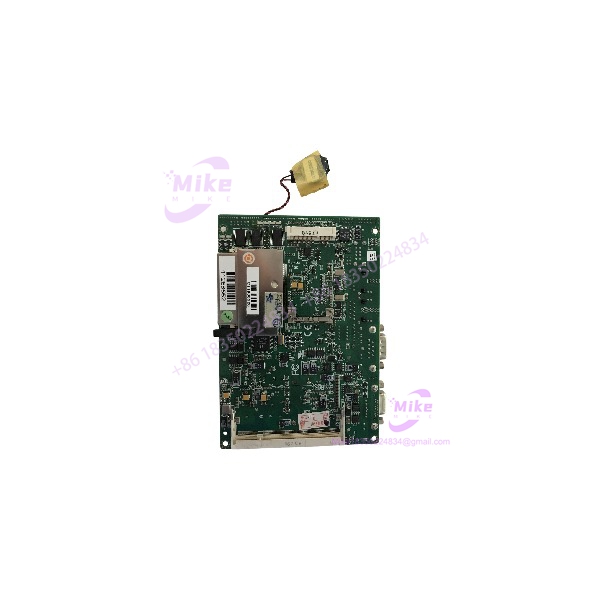
AAEON GENE-9455 | Atom N270 Embedded Computer Board
Dynamic Product Introduction
Legacy industrial computers often fail for reasons that have little to do with CPU performance. The real headache is replacing a board that still has to talk to old serial equipment, boot from CompactFlash, provide the expected LVDS display interface, and fit inside a machine enclosure designed around a particular embedded board.
That is where the AAEON GENE-9455 remains relevant. The GENE-9455 uses an onboard Intel Atom N270 at 1.6GHz with 533MHz FSB, Intel 945GSE + ICH7M chipset, and a single 200-pin DDR2 SODIMM socket supporting up to 2GB. AAEON’s documented Rev. A platform provides two Intel 82574L Gigabit Ethernet ports, four COM interfaces, four USB 2.0 ports, eight programmable digital I/O points, two SATA interfaces, EIDE, CompactFlash, Mini PCI, and proprietary ECX expansion.
For machine builders maintaining older HMI, kiosk, transportation, automation, medical, or POS equipment, that I/O mix can matter more than modern processor benchmarks. The GENE-9455 is fundamentally a legacy embedded-computing replacement board, so compatibility with the installed operating system, storage device, BIOS configuration, display interface, and peripheral wiring deserves more attention than raw CPU speed.
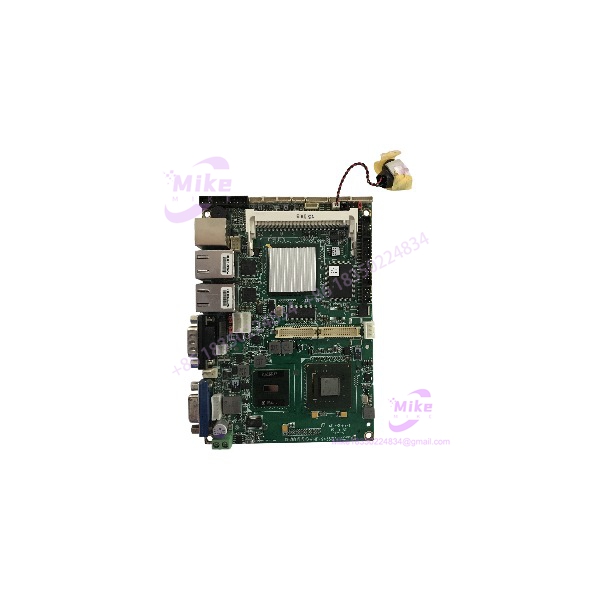
GENE-9455
Key Technical Specifications
- Manufacturer: AAEON
- Model: GENE-9455
- Form factor: 3.5-inch
- CPU: Intel Atom N270, 1.6GHz
- FSB: 533MHz
- Chipset: Intel 945GSE + ICH7M
- Memory: 200-pin DDR2 400/533 SODIMM ×1, up to 2GB
- Ethernet: Intel 82574L, 10/100/1000Base-TX, RJ-45 ×2
- BIOS: Award Plug & Play SPI BIOS, 2MB flash
- Storage: EIDE ×1, SATA 1.5Gb/s ×2, Type II CompactFlash ×1
- Serial: RS-232 ×3, plus RS-232/422/485 ×1
- USB: USB 2.0 ×4
- Digital I/O: 8-bit programmable
- Expansion: Mini PCI ×1 and ECX proprietary expansion ×1
- Display: CRT/LCD support; up to 18-bit dual-channel LVDS
- DVI: Optional, depending on board configuration
- Power: Rev. A documentation specifies +8.5V to +19V wide DC input or +5V-only operation; later AAEON documentation lists a wider +8.5V to +24V range for the platform. Verify the actual board revision before applying the upper voltage limit.
- Operating temperature: 0°C to 60°C
- Storage temperature: -40°C to 80°C
- Operating humidity: 0–90% RH, non-condensing
- Board dimensions: 146 × 101.6mm
- Documented MTBF: 70,000 hours
AAEON documentation shows meaningful revision differences. Rev. B, for example, is documented with six USB 2.0 ports and describes the display and I/O configuration somewhat differently from the earlier Rev. A documentation. Do not assume every GENE-9455 board has identical connector population simply because the model number is the same.
Global Sourcing & Live-Test SOP
For surplus inventory, powering the board until the BIOS screen appears is only the beginning. An industrial embedded board can boot correctly while one serial channel, SATA interface, Ethernet port, LVDS output, or expansion bus is defective.
1. Inbound Verification
Record the complete board identification before installation.
Check:
- model marking
- Rev. A, Rev. B, or other revision
- AAEON serial number
- BIOS/version information
- Installed SODIMM
- CPU heatsink condition
- Battery condition
- CompactFlash socket
- SATA connectors
- Ethernet magnetics/connectors
- COM headers
- Mini PCI socket
- ECX expansion connector
- Jumper positions
The revision check is not cosmetic. AAEON’s Rev. B documentation describes a different I/O configuration from earlier Rev. A documentation, including six USB 2.0 ports rather than the four listed for the earlier board.
2. Power-Up Test
Use a regulated DC supply with current monitoring.
Do not begin by connecting the board to the customer’s complete machine.
Check:
- Standby/current behavior
- POST sequence
- BIOS entry
- CPU detection
- Installed memory detection
- SATA detection
- CompactFlash detection
- USB enumeration
- Ethernet link
- Serial-port enumeration
- Watchdog behavior
AAEON specifies hardware monitoring for supply voltages and temperature, while the onboard watchdog can generate a timeout system reset. These functions should be included in a serious replacement-board test rather than ignored.
3. I/O Simulation
A proper test rack should exercise the interfaces that make the useful in legacy equipment.
Test:
- All available RS-232 ports
- RS-232/422/485 port in the required electrical mode
- USB 2.0 ports
- Both Gigabit Ethernet interfaces
- SATA devices
- CompactFlash
- Programmable digital I/O
- LVDS display output where fitted
- Audio interfaces where required
- Mini PCI functionality where an appropriate test card is available
For the serial interfaces, use an appropriate loopback or serial diagnostic fixture rather than simply checking that Windows/Linux detects the port.
4. Operating-System and Storage Validation
If the board is supplied with a customer-specific storage device, preserve the original disk or CompactFlash image before changing anything.
The was designed around legacy interfaces and operating systems. A replacement board may be electrically correct while still requiring BIOS settings to reproduce the original boot sequence.
Check:
- Boot device priority
- IDE/SATA mode
- CompactFlash detection
- BIOS date/time retention
- ACPI behavior
- Watchdog configuration
- COM resource assignments
- Display mode
- Network interface enumeration





