

Description
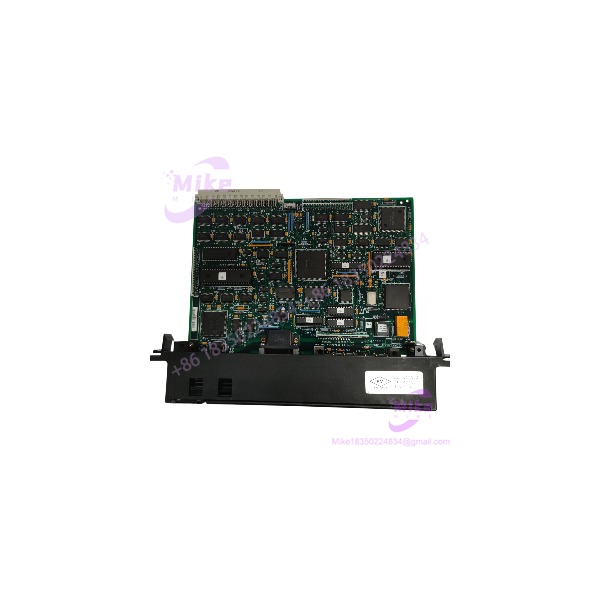
GE Fanuc IC697BEM733 | Series 90-70 Remote I/O Scanner
Product Introduction
Distributed I/O systems are only useful when the remote rack can communicate reliably with the host controller. The GE Fanuc IC697BEM733 Genius Remote I/O Scanner serves as the interface between Series 90-70 I/O modules and an IC66* Genius bus, allowing a remote drop to operate at a distance from the main PLC rack.
The IC697BEM733 supports up to 128 bytes of input data and 128 bytes of output data per remote drop. A drop may contain as many as eight Series 90-70 racks connected through bus transmitter and receiver modules. For maintenance teams keeping a legacy Genius network online, this scanner is a specific replacement component—not a generic serial communications card. Confirm the module revision, bus configuration, and remote-rack arrangement before ordering.
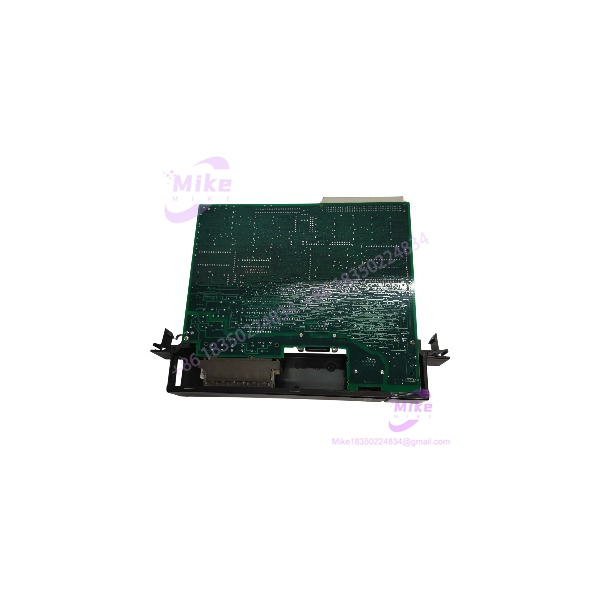
IC697BEM733
Key Technical Specifications
- Catalog Number: IC697BEM733
- Product Family: GE Fanuc Series 90-70
- Module Description: Genius Remote I/O Scanner
- Module Type: Remote I/O interface
- Slot Requirement: One slot in an IC697 remote rack
- Bus Interface: IC66* Genius bus
- Remote I/O Capacity: Up to 128 input bytes and 128 output bytes per drop
- Supported I/O: Series 90-70 discrete and analog I/O modules
- Additional Supported Modules: PCM, ADS, and analog expander modules, subject to system restrictions
- Maximum Racks per Drop: 8
- Maximum Distance from Controller: Up to 7,500 ft (2,275 m), depending on bus rate and cable type
- Maximum Drop-to-Drop Rack Interconnect Distance: 50 ft (15 m) within the remote drop
- Supported Bus Rates: 38.4, 76.8, 153.6 Kbaud standard, and 153.6 Kbaud extended
- Maximum Bus Devices: Up to 32 devices at 153.6 Kbaud standard, 153.6 Kbaud extended, or 76.8 Kbaud; up to 16 devices at 38.4 Kbaud
- Remote Drop Count: Depends on baud rate and drop loading; up to 30 drops under specified configurations
- Backplane Power Requirement: 0.8 A at +5 VDC
- Serial Interface: RS-422/RS-485-compatible Genius bus interface
- Hand-Held Monitor Port: 9-pin IC66* Hand-Held Monitor connector
- Status Indicators: Module OK, I/O Enabled, Bus B Active
- Configuration: Programming software or compatible IC66* Hand-Held Monitor
- Redundancy Support: B revision or later supports CPU and IC66* bus redundancy
The exact bus reach and drop capacity depend on data rate, cable type, and drop loading. Consult GE Fanuc’s IC697BEM733/735 Remote I/O Scanner datasheet (GFK-0539) for configuration limits.
Global Sourcing & Live-Test SOP
A remote I/O scanner can pass a basic power-on check while still failing to communicate with the Genius bus. For the IC697BEM733, procurement verification should cover module recognition, bus communication, and the intended rack configuration.
Incoming Verification
- Confirm the catalog number and complete revision suffix.
- Inspect the housing, backplane connector, Genius bus terminals, and serial/monitor connectors.
- Check for corrosion, damaged contacts, heat discoloration, or signs of field-side electrical damage.
- Confirm whether the sale includes only the scanner or also includes a rack, bus transmitter/receiver, or other accessories.
Authenticity & Traceability
- Photograph the OEM label, catalog number, and revision markings.
- Record serial/date-code information where available.
- Compare identifying details with available GE Fanuc documentation.
- Clearly classify the unit as new surplus, used, or refurbished.
Functional & Communications Test
- Install the scanner in a compatible Series 90-70 remote rack.
- Verify startup behavior and available status indicators.
- Confirm module recognition and I/O Enabled status under a compatible test configuration.
- Connect to a suitable Genius bus test setup.
- Verify bus communication with a compatible host or controller.
- Where practical, validate input and output data exchange using compatible remote I/O.
- Record the bus rate, connected test equipment, and functions actually verified.
Extended Run & Test Record
- Perform an extended powered run when test facilities permit.
- Record actual test duration, bus configuration, and observed diagnostics.
- Document any channels, bus conditions, or redundancy functions not tested.
- Do not claim a 24-hour heat run unless it was completed and recorded.
ESD-Safe Packaging
- Use ESD-protective packaging and appropriate cushioning.
- Protect the backplane connector and bus terminals against impact and contamination.
- Secure the module to prevent movement during transit.
Field Engineer’s Pitfall Guide
- ❗ Do not confuse the scanner with a bus transmitter. The is the Genius Remote I/O Scanner installed in the remote rack. Bus transmitter and receiver modules are separate components used to link racks within a remote drop. Verify the full architecture before sourcing parts.
- ❗ Revision matters for redundancy. GE documentation specifies CPU and IC66* bus redundancy support for IC697BEM733B or later. If the application depends on redundancy, confirm the actual revision and system design rather than assuming every supports it.
- ❗ Bus distance depends on baud rate and cable. The 7,500-ft maximum is not valid for every bus speed. Cable type, termination, network loading, and configured data rate all affect achievable distance. Check the Genius bus design against the applicable manual before commissioning.
Intent-Driven FAQ
Q1: What is the GE Fanuc used for?
It is a Genius Remote I/O Scanner for Series 90-70 systems. It interfaces remote Series 90-70 I/O modules with an * Genius bus.
Q2: Is the a bus transmitter?
No. It is a Remote I/O Scanner. Bus transmitter and receiver modules are separate components used to connect racks within a remote drop.
Q3: How much I/O can the handle?
It supports up to 128 bytes of input data and 128 bytes of output data per remote drop. The actual configuration must follow GE Fanuc’s I/O and rack restrictions.
Q4: How far can the be located from the controller?
The maximum documented distance is up to 7,500 ft (2,275 m), depending on bus speed and cable type. Lower bus rates generally allow longer cable runs.
Q5: Does the support redundancy?
Revision B or later supports CPU and * bus redundancy. Confirm the module revision and the redundancy architecture required by the installed system.
Q6: Can the be hot-swapped?
Do not assume live removal or insertion is permitted in your specific rack configuration. Follow the applicable Series 90-70 installation procedures and site lockout requirements before replacing the scanner.
Q7: What should I verify before ordering a replacement?
Confirm the full catalog number and revision, rack compatibility, required redundancy support, Genius bus rate, remote-drop layout, condition classification, functional-test coverage, and written warranty terms.





